Data is one of the most valuable assets a modern business manages. Companies store customer information, employee records, financial documents, business plans, contracts, passwords, and other important information across computers, servers, cloud platforms, and mobile devices. Protecting this information is essential for maintaining daily operations and customer trust.
As businesses become increasingly dependent on digital technology, data security has become an ongoing responsibility. Cybercriminals can use phishing, malware, ransomware, stolen credentials, and other techniques to gain unauthorized access to business systems. At the same time, accidental deletion, weak passwords, outdated software, and employee mistakes can also put important information at risk.
For businesses looking for dependable Business IT Support Albany, NY, a proactive approach to data protection can help reduce security risks and improve technology reliability. Precision Fix provides managed IT services, cybersecurity, network management, cloud solutions, data backup, disaster recovery, and proactive IT support to help businesses protect their digital environments.
Why Data Security Matters in the Workplace
Data security involves protecting business information from unauthorized access, loss, modification, theft, or destruction.
A data security incident can potentially result in:
- Financial losses
- Business interruptions
- Customer concerns
- Reputation damage
- Lost productivity
- Regulatory or contractual problems
- Recovery expenses
No business should assume that it is too small to become a target. Every organization should establish appropriate security practices based on the type of information it handles and the systems it uses.
1. Use Strong, Unique Passwords
Passwords are one of the first lines of defense for business accounts.
Employees should use strong, unique passwords and avoid using the same password across multiple accounts.
Businesses can encourage better password practices by:
- Requiring strong passwords
- Avoiding password reuse
- Using password managers where appropriate
- Protecting administrative accounts
- Changing compromised credentials promptly
Employees should never share their passwords with coworkers or store them in unsecured locations.
2. Enable Multi-Factor Authentication
Passwords alone may not provide sufficient protection.
Multi-Factor Authentication (MFA) adds another verification step when a user signs in. Depending on the service, this may involve an authentication application, security key, or another approved verification method.
Businesses should enable MFA for important accounts, especially:
- Email
- Cloud services
- Administrative accounts
- Financial systems
- Remote access
- Business applications
MFA can provide an additional layer of protection if a password is compromised.
3. Keep Software and Systems Updated
Outdated software can contain known security vulnerabilities.
Businesses should maintain regular updates for:
- Operating systems
- Web browsers
- Business applications
- Security software
- Network devices
- Servers
A structured patch management process can help ensure important security updates are applied consistently.
Ignoring updates can leave systems unnecessarily exposed to threats.
4. Train Employees About Cybersecurity
Employees play an important role in workplace data security.
Even strong technical protections can be undermined if employees accidentally provide information to attackers or click malicious links.
Security awareness training should cover:
- Phishing emails
- Suspicious attachments
- Social engineering
- Password protection
- Safe browsing
- Data handling
- Reporting security incidents
Employees should know what to do when they receive an unusual message or notice suspicious activity.
5. Protect Business Email
Email is frequently targeted by cybercriminals because employees use it to communicate and exchange information.
Businesses should use appropriate email security measures and educate employees about phishing.
Employees should be cautious about messages requesting:
- Passwords
- Payments
- Account changes
- Sensitive information
- Urgent transfers
- Unusual downloads
When a request seems suspicious, employees should verify it through another trusted communication method.
6. Control User Access
Employees should only have access to the information and systems they need for their roles.
This principle can reduce the potential impact of compromised accounts.
Businesses should regularly review:
- User accounts
- Administrative privileges
- Shared folders
- Cloud permissions
- Remote access
- Application access
When employees leave the company, their accounts and access permissions should be disabled or updated promptly.
7. Secure Business Networks
Business data frequently travels through company networks.
Effective business network management can help protect connected systems through appropriate security controls.
Network security may include:
- Firewalls
- Secure Wi-Fi
- Network segmentation
- Access controls
- Monitoring
- Secure configurations
- Updated network equipment
Guest networks should be separated from internal business resources when appropriate.
8. Protect Computers and Mobile Devices
Employees may access business information through laptops, desktops, smartphones, and tablets.
These devices should have appropriate security controls, including:
- Endpoint protection
- Screen locks
- Encryption where appropriate
- Automatic updates
- Strong authentication
- Remote management
Businesses should also establish policies for lost or stolen devices.
9. Use Reliable Data Backups
Data security is not only about preventing unauthorized access. Businesses also need to protect information from loss.
A reliable business data backup strategy can help protect against:
- Hardware failure
- Accidental deletion
- Malware
- Ransomware
- Data corruption
- System failures
Backups should be performed regularly and protected from unauthorized access.
Businesses should also test restoration procedures to verify that important information can actually be recovered.
10. Encrypt Sensitive Data
Encryption can help protect sensitive information by making it difficult for unauthorized individuals to access readable data.
Businesses should evaluate encryption for:
- Sensitive files
- Laptops
- Storage systems
- Cloud services
- Data transmitted across networks
- Backup systems
The appropriate approach depends on the type of data and technology environment.
11. Secure Cloud Applications
Cloud applications are now common in modern workplaces.
Businesses should regularly review cloud security settings, including:
- User permissions
- Sharing settings
- Administrator accounts
- MFA
- Connected applications
- Security alerts
Employees should avoid sharing sensitive documents through public links or unauthorized services.
12. Monitor Systems for Suspicious Activity
Businesses should not wait until a major security incident occurs before investigating unusual activity.
Security monitoring can help identify:
- Unusual login attempts
- Unauthorized access
- Suspicious network activity
- Unexpected account changes
- Malware alerts
- Unusual device behavior
Early detection can provide an opportunity to investigate and respond before a problem becomes more serious.
13. Develop an Incident Response Plan
Businesses should have a plan for responding to potential security incidents.
An incident response plan can identify:
- Who should be contacted.
- How affected systems should be isolated.
- How compromised accounts should be secured.
- How backups should be accessed.
- How operations should be restored.
- How employees should communicate during an incident.
Preparation can help reduce confusion and speed up the response.
14. Create a Disaster Recovery Strategy
Data protection should include preparation for major technology disruptions.
An IT disaster recovery strategy can help businesses recover from incidents such as:
- Ransomware
- Hardware failures
- Major network outages
- Data loss
- Natural disasters
- Critical system failures
A disaster recovery plan should be reviewed and updated as business systems change.
15. Secure Physical Access
Digital security is important, but businesses should not overlook physical security.
Unauthorized individuals should not have unrestricted access to:
- Servers
- Network equipment
- Computers
- Backup devices
- Sensitive documents
Businesses should use appropriate physical controls based on their workplace environment.
16. Dispose of Data Securely
Old computers, hard drives, USB devices, and paper documents may contain sensitive information.
Businesses should establish secure disposal procedures for information and equipment that is no longer required.
Simply throwing away an old storage device may leave business information accessible to someone else.
17. Conduct Regular Security Reviews
Cybersecurity is not a one-time project.
Businesses should regularly review their technology environment to identify new risks and changes.
Security reviews can evaluate:
- User permissions
- Software updates
- Network security
- Backup status
- Endpoint protection
- Cloud settings
- Security policies
Regular reviews help businesses keep security practices aligned with changing technology and business needs.
Common Data Security Mistakes to Avoid
Businesses should avoid relying on a single security measure.
Common mistakes include:
Using Shared Accounts
Shared accounts make it difficult to identify who accessed information and can weaken accountability.
Ignoring Former Employee Accounts
Inactive accounts can create unnecessary security risks.
Failing to Test Backups
A backup is only useful if important data can be restored.
Allowing Unnecessary Administrative Access
Too many administrator accounts can increase risk.
Ignoring Employee Training
Employees need regular awareness about evolving cybersecurity threats.
How Professional IT Support Can Improve Data Security
Maintaining strong data security can be challenging, especially for small and growing businesses.
Professional IT support for small businesses can assist with:
- Cybersecurity management
- Network security
- Endpoint protection
- Software updates
- Backup monitoring
- Cloud security
- User access management
- Security monitoring
- Disaster recovery planning
Proactive IT support can help businesses identify potential issues before they become major problems.
Frequently Asked Questions
What is the most important step for workplace data security?
Businesses should use a layered approach that combines strong authentication, access controls, employee training, software updates, cybersecurity tools, secure networks, and reliable backups.
Should small businesses invest in cybersecurity?
Yes. Businesses of every size can benefit from appropriate cybersecurity protections based on their systems, data, and risk profile.
How often should businesses review security?
Security should be monitored continuously, with formal reviews performed regularly and whenever major changes occur in technology, employees, or business operations.
Can employee training improve data security?
Yes. Training can help employees recognize phishing, protect passwords, handle information appropriately, and report suspicious activity.
Final Thoughts
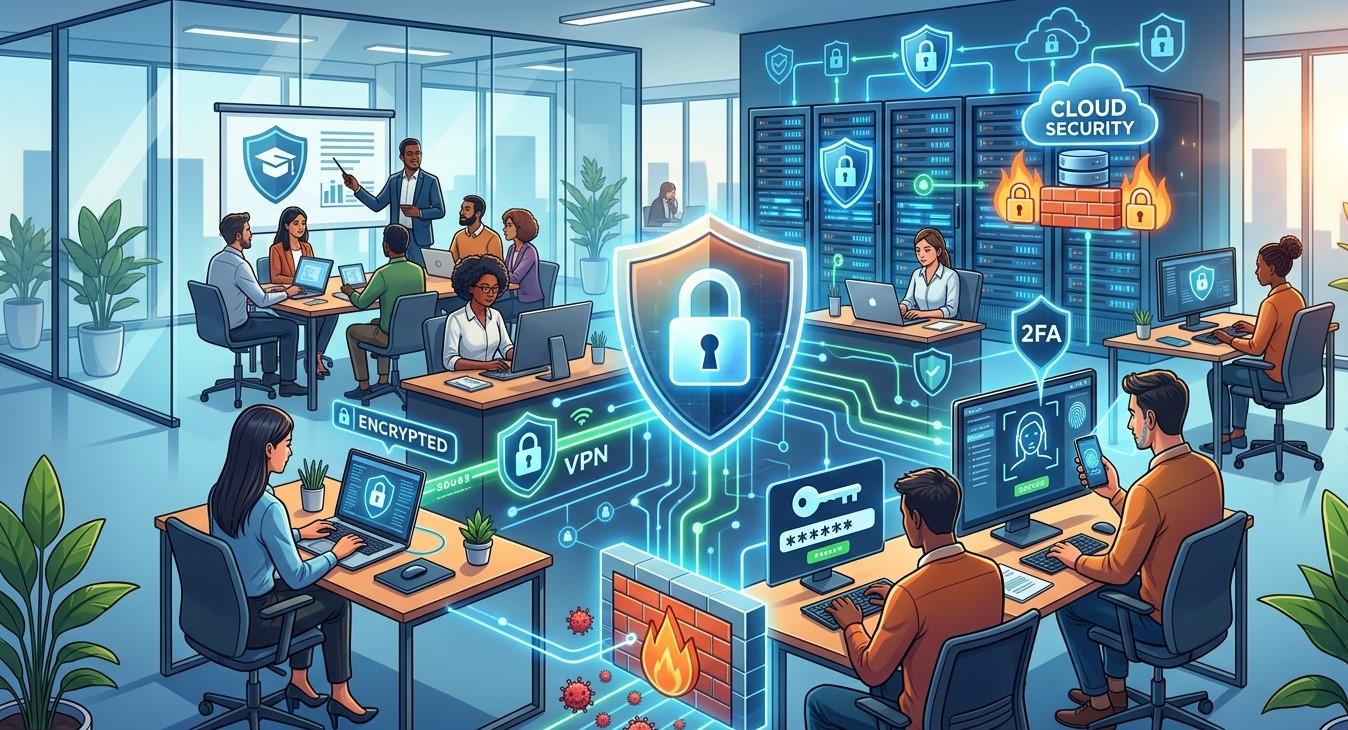
Improving data security in the workplace requires consistent effort and multiple layers of protection. Strong passwords, MFA, employee training, secure networks, access controls, updated software, endpoint protection, cloud security, and reliable backups can all contribute to a safer business environment.
Businesses should also regularly review their technology systems and security practices because threats and business requirements continue to change. A proactive approach can reduce preventable risks while helping organizations respond more effectively when unexpected problems occur.
For businesses seeking trusted Business IT Support Albany, NY, Precision Fix provides managed IT services, cybersecurity, network management, cloud solutions, data backup, disaster recovery, and proactive IT support. With the right security strategy and ongoing technology management, businesses can better protect valuable information and create a more secure workplace.


 English
 Arabic
 French
 Spanish
 Portuguese
 Deutsch
 Turkish
 Dutch
Dutch
 Italiano
 Russian
 Portuguese (Brazil)
 Greek
Greek